SOA governance is an extension to IT governance. IT governance ensures that enterprise IT is inline with business strategy, architectural best practices, government regulations, laws and contribute to the value addition process of the organization. SOA governance ensures this factors against the SOA efforts in the organization. Governance is best implemented in an organization in a 3 step procedure - evaluate, direct and control. This blog post will show how WSO2 Greg will assist governing bodies in each of the steps.
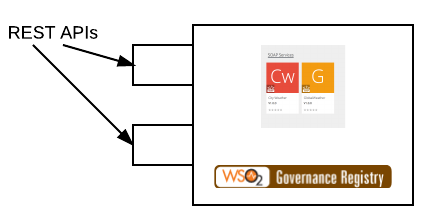
Evaluate - Distributed nature of SOA means dis-aggregation of service data by hosted location, ownership and domain, making it a challenge to evaluate SOA efforts. Primary task of a governance product is to build a centralized database of information of SOA. This will be the basis of SOA governance in industry. WSO2 Greg provides capabilities to build a asset store.WSO2 Greg ships with a default service asset, that can be modified or used as it is. Building a service catalog using the registry is easy. However if the service catalog is going to be manually populated it is hard to keep it in-sync with the alive services. Populating services can be automated in WSO2 Greg as it has a REST API. Any service hosting platform can publish service information by calling the WSo2 Greg APIs.

Direct - Guiding people and technology in SOA efforts require a lot of information. High level business decisions comes from business analytic/intelligence layer that provides direct insight into what is going on in the business. Once the business goals are foamed then comes the SOA based implementation strategy. Here Governance can play a significant role as it can provide information as,

Control - What needs to be controlled in a SOA effort? Some of the things that needs to be controlled are service replication, services with bad APIs, bad code, existence of unused services and etc ..
How much control is too much control is a good question to ask each control step the governance body is going to enforce. Whatever the control step that put in place to hinder the innovation of developer and devops is too much control. If a developer is not allowed to create a service without approval that would hinder innovation. However Lifecycle management is an ideal place for enforcing control. It would not hinder innovation and still ensures the quality of the SOA architecture. For this purpose WSO2 Greg provides and extensible, customizable lifecycle management feature in Greg.
Evaluate - Distributed nature of SOA means dis-aggregation of service data by hosted location, ownership and domain, making it a challenge to evaluate SOA efforts. Primary task of a governance product is to build a centralized database of information of SOA. This will be the basis of SOA governance in industry. WSO2 Greg provides capabilities to build a asset store.WSO2 Greg ships with a default service asset, that can be modified or used as it is. Building a service catalog using the registry is easy. However if the service catalog is going to be manually populated it is hard to keep it in-sync with the alive services. Populating services can be automated in WSO2 Greg as it has a REST API. Any service hosting platform can publish service information by calling the WSo2 Greg APIs.
Direct - Guiding people and technology in SOA efforts require a lot of information. High level business decisions comes from business analytic/intelligence layer that provides direct insight into what is going on in the business. Once the business goals are foamed then comes the SOA based implementation strategy. Here Governance can play a significant role as it can provide information as,
- A service catalog with usage, interface and owner for each service
- Decide how much a service being reused
- Service usages and dependency graph
- Data to deduce service maturity - versions and creation times
- Different versions and their life-cycle movements
- Social features such as service rating, comments

Control - What needs to be controlled in a SOA effort? Some of the things that needs to be controlled are service replication, services with bad APIs, bad code, existence of unused services and etc ..
How much control is too much control is a good question to ask each control step the governance body is going to enforce. Whatever the control step that put in place to hinder the innovation of developer and devops is too much control. If a developer is not allowed to create a service without approval that would hinder innovation. However Lifecycle management is an ideal place for enforcing control. It would not hinder innovation and still ensures the quality of the SOA architecture. For this purpose WSO2 Greg provides and extensible, customizable lifecycle management feature in Greg.


